Posts

Showing posts with the label Infrastructure

Docker : Command to See What Containers Are Running

Image
In our previous blog posts we ran containers with the Fedora and CentOS images.  In this blog we are going to run a command to see which containers are running in our host system.  To get a list of all the containers running on our host Ubuntu system we type in the command docker ps -a command.

Docker : Pull The Latest CentOS Image Into A Ubuntu Server

Image
The beauty of Docker is that you can run a very lightweight image of another Linux distro on your host system.  In this post we will be pulling the latest image of CentOS into our docker container on our Ubuntu server. Step-by-Step: 1. Open the terminal in Ubuntu, then make sure docker is running by typing service docker status, you should see something a message like the image below

Docker : Pull The Latest Fedora Image Into A Ubuntu Server

Image
The beauty of Docker is that you can run a very lightweight image of another Linux distro on your host system.  In this post we will be pulling the latest image of Fedora into our docker container on our Ubuntu server. Step-by-Step: 1. Open the terminal in Ubuntu, then make sure docker is running by typing service docker status, you should see something a message like the image below

Docker : Adding Non Root Users To The Docker Group In Ubuntu

Image
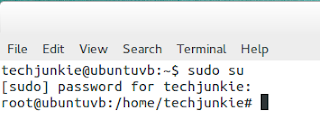
One of the most common task you have to do as a Linux administrator is to add a new user.  Especially developers who always wants root access. Docker needs root access, however the person who is administering Docker is probably not the system administrator.  Most likely it will be the application developer. To accomplish this task you can use the useradd command in the Terminal session then add the new user to the Docker group.  Follow the steps below to add a new user to Ubuntu. 1.  Switch into the root user using  sudo su -  command

Installing Docker On CentOS

Image
Docker is the hottest infrastructure technology to hit the tech world in a long time.  The appeal of Docker is that it allows the infrastructure team to utilize the capacity of the servers to near full capacity.  Docker is a container.  A container is like a micro virtualization minus the operating system.  It only contains enough infrastructure to host an app, without the fat.  Hence the term container is used to describe it. Here are the steps to install Docker on a CentOS Server: 1.  Open the CentOS terminal, then type the following command to switch to the super user:       sudo su 2.  Now get the latest update for CentOS by typing yum update 3.  To install Docker type the following command in the terminal     yum install -y docker 4.  Once the installation is complete type following command to start the docker service       systemctl start docker.service , then type systemctl status docker.service ...

Installing Docker On Ubuntu Server

Image
Docker is the hottest infrastructure technology to hit the tech world in a long time.  The appeal of Docker is that it allows the infrastructure team to utilize the capacity of the servers to near full capacity.  Docker is a container.  A container is like a micro virtualization minus the operating system.  It only contains enough infrastructure to host an app, without the fat.  Hence the term container is used to describe it. Here are the steps to install Docker on a Ubuntu Server: 1.  Open the Ubuntu terminal, then type the following command to switch to the super user:       sudo su 2.  Now get the latest update for Ubuntu by typing apt-get update 3.  To install Docker type the following command in the terminal      apt-get install -y docker.io 4.  Once the installation is complete type service docker status Now we have Docker installed and running on Ubuntu.  It was pretty simple wasn't it?