RadioButtonList : Bind RadioButtonList To A List Of Objects
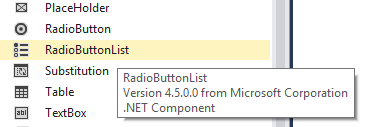
The RadioButtonList displays a collection of radio buttons on a web page. There can only be one selection in a group of choices at a time. In this tutorial we will create a RadioButtonList and then bind it to the Categories table of the Northwind database using a DataTable. To create a RadioButtonList control do the following: 1. Select the "RadioButtonList" control under the "Standard" control in the "Toolbox" pane on the left. 2. Drag the RadioButtonList control to a design surface 3. In the source code of the .aspx page make sure "AutoPostBack" is set to true, the source code should look like this <asp:RadioButtonList ID="RadioButtonList1" runat="server" AutoPostBack="true"> </asp:RadioButtonList> 4. Create a connection string in the Web.Config file <connectionStrings> <add name="NorthwindConnectionString" connectionString="Data Source=(local); Initial Catalog=Northw...